TOP 1. TP-Link ER605 V2 Wired Gigabit VPN Router
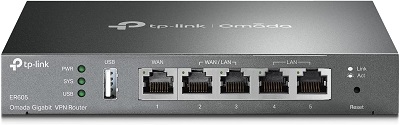
The TP-Link ER605 V2 is a high-performance wired gigabit VPN router designed for small and medium-sized businesses. It features up to 3 WAN Ethernet ports and 1 USB WAN port, offering flexible connectivity options for load balancing and failover. This router supports Omada SDN integration, allowing for centralized cloud management and seamless scaling of your network. The ER605 V2 also includes a robust SPI firewall for enhanced security, protecting your network from external threats. With built-in lightning protection, it ensures reliability and durability, even in harsh environments. Ideal for SMBs, this router provides reliable VPN connectivity, high-speed performance, and advanced security features to keep your network running smoothly.
- Specifications:
- Ports: 3 WAN Ethernet ports, 1 USB WAN port
- Connectivity: Gigabit speeds, flexible WAN options for load balancing and failover
- Security: SPI firewall, lightning protection
- Ideal For: SMBs, or small and medium-sized enterprises,
- Pros:
- Advanced security features with robust firewall
- High-speed VPN connectivity for secure remote access
- Centralized cloud management for scalability
- Reliable in harsh environments with built-in lightning protection
- Cons:
- Wired-only (no WiFi functionality)
- Might be overkill for home use due to its business-oriented features
TOP 2. NETGEAR Nighthawk Cable Modem with Built-in WiFi 6 Router
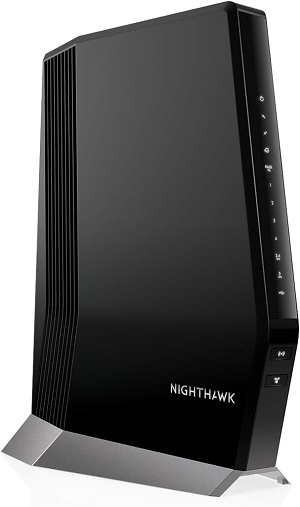
The NETGEAR Nighthawk CAX80 Cable Modem with Built-in WiFi 6 Router combines high-speed performance with cutting-edge technology for seamless connectivity. Compatible with major cable providers like Xfinity, Spectrum, and Cox, it supports internet speeds up to 6Gbps, utilizing DOCSIS 3.1 technology for enhanced efficiency and performance. The integrated WiFi 6 router offers faster speeds, increased capacity, and superior performance in busy networks, making it perfect for gaming, streaming, and smart home setups. With four Gigabit Ethernet ports and advanced security features, this all-in-one device provides reliable and secure internet for large homes or small businesses while reducing equipment clutter.
Specifications:
- Speed: Supports speeds up to 6Gbps
- Technology: DOCSIS 3.1 and WiFi 6
- Ports: 4 Gigabit Ethernet ports
- Compatibility: Xfinity, Spectrum, Cox
- Security: Advanced security features for safe home or small business use
Pros:
- High-speed DOCSIS 3.1 support for future-proof performance
- Built-in WiFi 6 for faster speeds and more devices connected
- Combines modem and router, reducing equipment clutter
- Ideal for gaming, streaming, and smart homes
Cons:
- Limited to cable internet service compatibility
- Can be pricey compared to separate modem and router setups
TOP 3. TRENDnet Gigabit Multi-WAN VPN Business Router
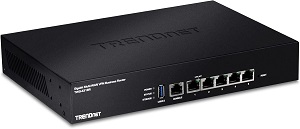
The TRENDnet TWG-431BR Gigabit Multi-WAN VPN Business Router is a robust solution for businesses seeking reliable, high-speed internet connectivity. Equipped with 5 Gigabit Ethernet ports and 1 console port, this router supports multiple WAN connections for load balancing and failover, ensuring uninterrupted service. It offers advanced features like Quality of Service (QoS) for traffic prioritization, Inter-VLAN routing for network segmentation, and dynamic routing to optimize data flow. With high availability support and online firmware updates, this router provides enhanced network performance, reliability, and security. Ideal for small to medium-sized businesses, the TWG-431BR delivers powerful and scalable network management for a wide range of applications.
Specifications:
- Ports: 5 Gigabit Ethernet ports, 1 console port
- Features: Multi-WAN support, Quality of Service (QoS), Inter-VLAN routing
- Performance: High availability, dynamic routing
- Perfect For: Small and medium-sized enterprises
Pros:
- A variety of WAN solutions for load balancing and failover
- Advanced features like QoS for prioritizing traffic
- Scalable network management for growing businesses
- Reliable performance with online firmware updates
Cons:
- Home users may find it more complicated.
- No WiFi capabilities, requiring additional wireless hardware
TOP 4. Reyee WiFi 6 Router
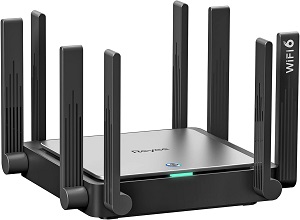
The Reyee WiFi 6 Router AX3200 (RG-E5) offers high-speed wireless internet with next-gen WiFi 6 technology, perfect for homes up to 3000 sq. ft. It provides fast and reliable dual-band performance with a combined speed of up to 3200Mbps, ensuring smooth streaming, gaming, and browsing across multiple devices. The router features 8 omnidirectional antennas for wide coverage and stable signal strength, reducing dead spots and improving overall performance. Mesh support allows you to expand your network seamlessly, making it ideal for larger homes or multi-level spaces. With Gigabit Ethernet ports and advanced security features, the RG-E5 ensures both speed and safety for your connected devices.
- Specifications:
- Speed: Up to 3200Mbps (WiFi 6)
- Coverage: Suitable for homes up to 3000 sq. ft.
- Antennas: 8 omnidirectional antennas for wide coverage
- Mesh Support: Expandable network coverage
- Security: Advanced security protocols
- Pros:
- High-speed WiFi 6 for faster, more efficient wireless performance
- Excellent coverage for larger homes or multi-level spaces
- Mesh support for seamless network expansion
- Reliable security features
- Cons:
- May be too powerful for smaller homes or apartments
- Limited to wireless networking (no wired options for businesses)
TOP 5. WiFi 6 Router AX3000 Wireless WiFi Route
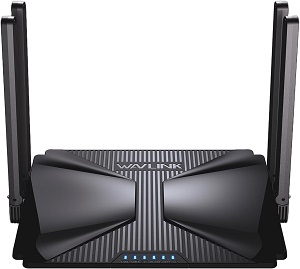
The WiFi 6 Router AX3000 is a high-speed wireless internet solution designed to provide fast and reliable coverage for homes up to 2000 sq. ft. With WiFi 6 technology, it delivers speeds of up to 3000Mbps, ensuring smooth streaming, gaming, and browsing even with multiple devices connected. The router features 5dBi high-gain antennas for enhanced signal strength and range, reducing dead zones and improving overall performance. Dual-band capabilities and Gigabit Ethernet ports support a wide variety of devices. Additionally, it offers Mesh support for network expansion, VPN and IPv6 for enhanced security, and parental controls to manage internet access for your family. Ideal for modern homes, it ensures fast, secure, and stable connections.
Specifications:
- Speed: Up to 3000Mbps (WiFi 6)
- Coverage: Homes up to 2000 sq. ft.
- Antennas: 5dBi high-gain antennas
- Security: VPN, IPv6, parental controls
- Mesh Support: Yes, for expanded coverage
Pros:
- Fast WiFi 6 speeds, ideal for streaming, gaming, and browsing
- Using high-gain antennas to increase signal strength
- Parental controls and VPN for enhanced privacy and management
- Great for modern homes needing stable connections
Cons:
- Coverage may not be sufficient for very large homes
- No specific support for business-level features like multiple WAN ports
Business Router FAQ:
- What distinguishes a home router from a business router?
- Business routers are designed to handle high traffic, provide advanced security features, and allow for greater customization and control. They typically have better hardware, support more devices, and include advanced features like VPN support, VLANs, and more robust traffic management.
- Home routers, on the other hand, are designed for fewer devices and simpler usage, with a focus on ease of use.
2. How many devices can a business router support?
- Depending on the model and specifications, business routers can support anywhere from dozens to hundreds of devices simultaneously, making them ideal for small offices to large enterprises.
3. Can I use a business router for my home network?
- While it’s possible to use a business router for a home network, it might be overkill unless you have high-speed needs or a complex setup. Business routers are generally more expensive and complex to configure than home routers.
4. How can I improve my office’s Wi-Fi coverage?
- A business router with mesh networking capabilities or multiple access points can provide better coverage across a large office or multi-floor building. Dead zones can be decreased by carefully positioning access points.
5. Do business routers come with support for VoIP?
- Yes, many business routers offer VoIP optimization, ensuring high-quality voice calls over the internet with minimal latency and jitter.